Thanks Marisa, I thought that it may be a flair type of effect. I searched the web to make this and found nothing. I appreciate this as I was going to ask for a tut on flairs. I will try it out to see if this was it. I love these tutorials; there is something for everything!




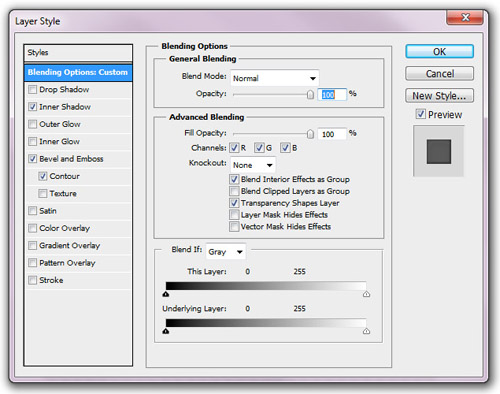
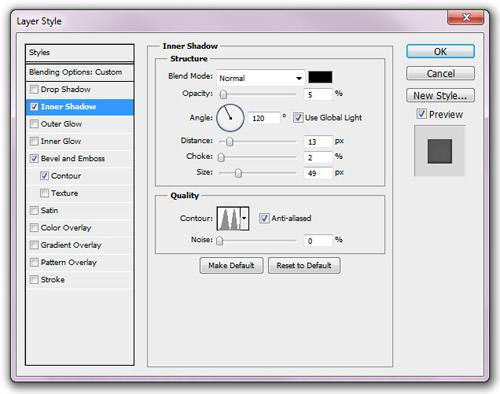
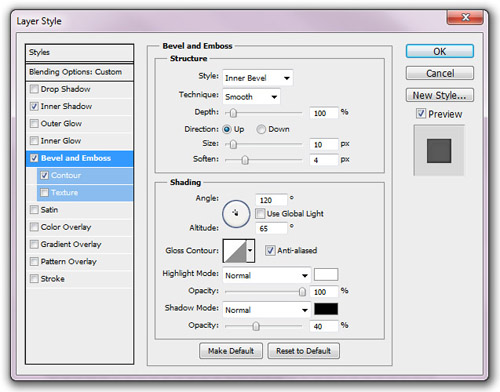
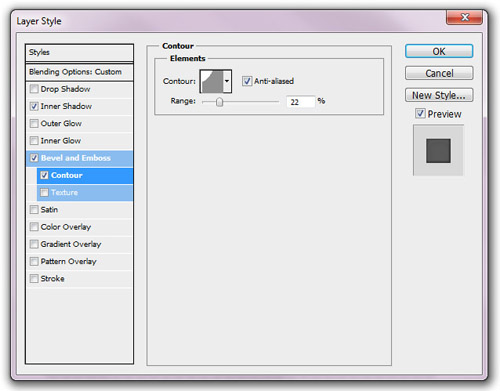
Cool!!! I'll try do it now!!! Thank you!!!
sweet!! I'm gonna try it out!! Thanks!!!
Thanks for the tip! I'll go try that right now!
Thank you!
gonna try that now
Do you know if there is anyway to do this in PSE?
Looks like a cool tip
This is one of the most awesome tips I've seen lately!!! THANKS Marisa!!!
Thanks so much!
I can't wait to try it!
Thanks so much
Great tutorial! I hope you will share more with us in the future!
This is soooooo cool! Thanks tons!
Thank you~!
Thank you!
Thanks for sharing this. Does this effect make "buttons" or "flairs"? Just want to make sure that I am picturing the right effect in my mind. =P
Hmm, there should be a photo of the actual effect somewhere....I think it's more of a "flair" style.
Thanks Marisa, I thought that it may be a flair type of effect. I searched the web to make this and found nothing. I appreciate this as I was going to ask for a tut on flairs. I will try it out to see if this was it. I love these tutorials; there is something for everything!
I too would like to know if this works in PSE.
Great! I can't wait to try this out! I always wondered how designers got this puffed/flaired look. Thank you!
Does anybody know how to do this in PSE? I don't think it has the blending options, we can only use premade styles I believe. Thanks
Great tutorial, thanks!
Awesome, works great. Thanks
Going to give it try to see how it looks, thank you!
I'm glad a few people explained the achieved effect. I just tried it and was expecting something different. Thanks for the tut!
Thanks!
Love your beautiful doggie
Helpful trick
I saved this as a new style. THANKS!
nice tip that is very helpful, thank you
Pages