



Here is a quick tour of the character palette in Photoshop which will help you control how your text looks.
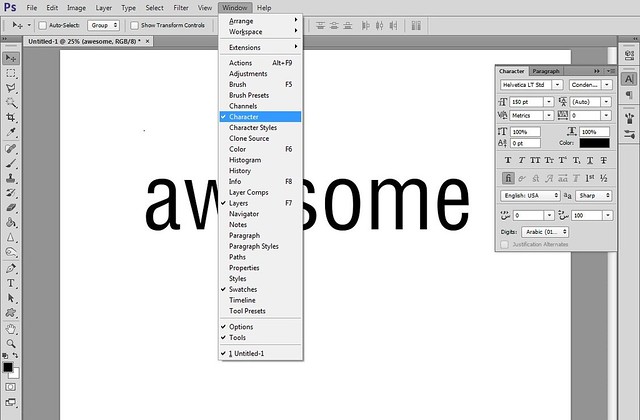
First, you can find the character palette under Window -> Character.
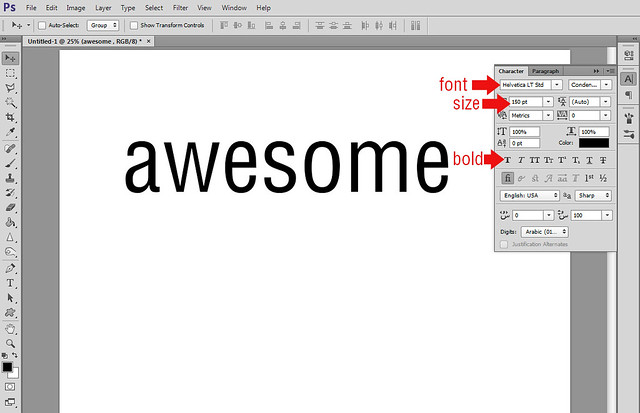
You may already be familiar with the basics.
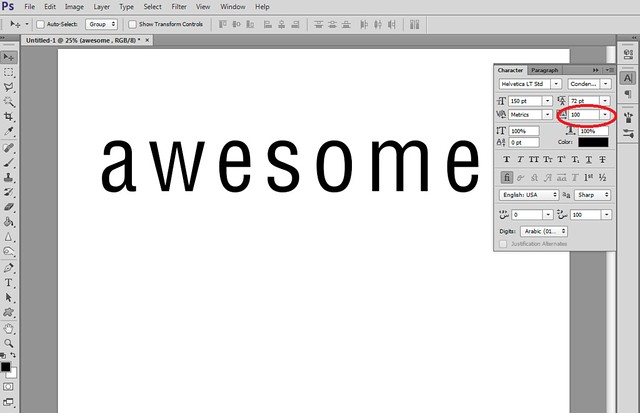
This option changes the space between letters.
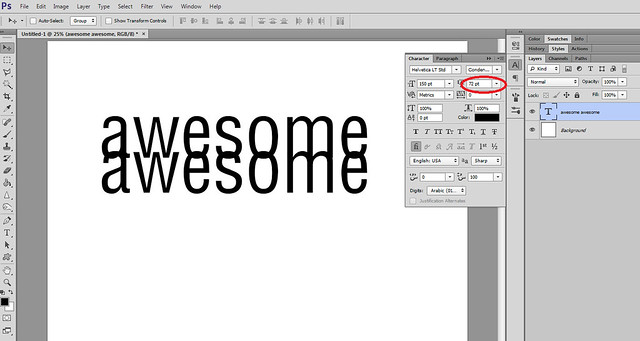
This option changes the space between lines.
This button changes everything to uppercase.
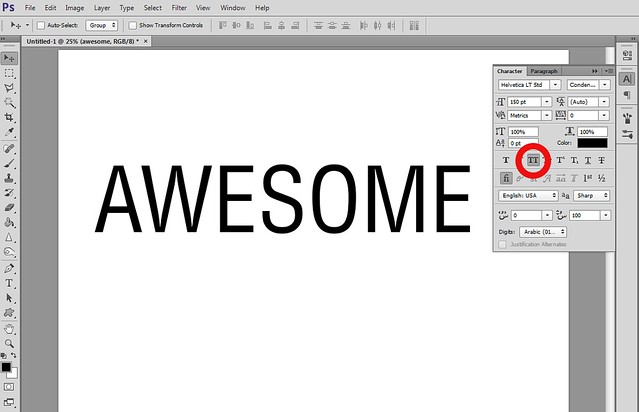
This button changes everything to uppercase, but leaves the original lowercase letters smaller.

I've been using this a lot lately. Its a pretty good tool, but I still like the way PSPX works with fonts better. Right now, I'm getting the programs functions mixed up and I try doing something that PSCS5 does in PSPX and vice versa. I'll get it straight one of these days.
Thanks for the tip. xoxox Beth
Thanks for the tutorial! I really should have known this but didn't.
didn't know about this, thx
Great tip.. thank you
I've really been enjoying your tutorials! Lots of great tips!!
Thanks for the tips
Any tips you could provide about best practices for tracking and kerning would be awesome. I just basically do it by sight.
Thanks for this.
@Lynetta: If you wouldn't mind leaving your request here, then I can keep track of it easier.
Just learned something new! Thank you!
I didn't know some of this great information about fonts! Thank you!
Thank for the tips
Thanks for the tip!!
With the character palette open, if you highlight the font name, you can use the arrow keys to scroll through all the fonts and see exactly what the text you typed will look like.
Awesome! Thanks for sharing!
Very helpful,thanks!
I've been learning PS on my own. Even those these things are so basic, I didn't know them! Thanks!
Thanks for a tip!
So that is how you evenly space characters. Thanks for the tutorial. Now I can let my spacebar rest
thanks for pointing out a few options I never realized were there!
Thank you for the lesson!)))))
I thought I knew my way around Photoshop - and have used this tool for spacing vertically - but never knew it could do all this. I'll definitely be experimenting now!
thanks
I appreciate you. Thanks